Frontend observability 
Nais provides frontend observability through the Grafana Faro Web SDK. Faro runs in the browser and sends telemetry data (metrics, logs, errors, traces) to a collector on the Nais platform.
With 95+ applications already using Faro, it's the standard way to monitor frontend applications on Nais.
What you get 
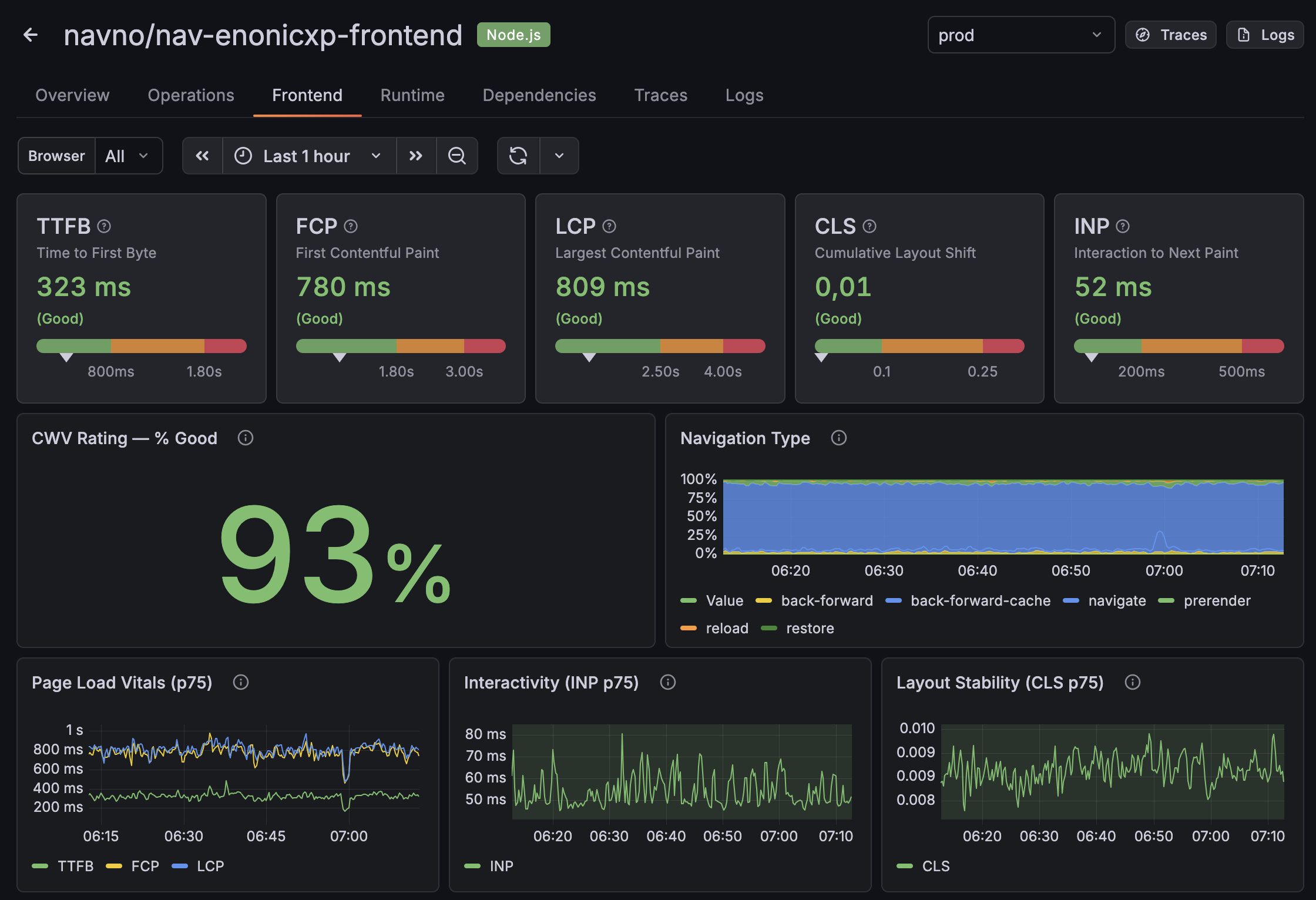
- Core Web Vitals — TTFB, FCP, CLS, LCP, INP (collected automatically)
- Logging —
console.info,console.warn, andconsole.errormessages - Exceptions — stack traces with automatic sourcemap deobfuscation
- Custom events and metrics — anything you want to track
- Tracing — OpenTelemetry-based browser traces, optionally connected to backend spans
Get started 
- Any frontend app: 🎯 Set up Faro
- Next.js App Router: Set up Faro with Next.js
- Want end-to-end traces? Connect frontend to backend
- Stack traces look minified? Sourcemaps · Troubleshooting
Recommended configuration 
After the basic setup, check that you have these configured:
| Setting | Why it matters | Guide |
|---|---|---|
beforeSend PII filtering | Faro captures URLs and console output that may contain fødselsnummer or tokens | Privacy and sensitive data |
propagateTraceHeaderCorsUrls | Without this, browser traces never connect to your backend spans | Trace propagation |
paused on localhost | Prevents local development noise from polluting production dashboards | Local development |
app.version | Lets you filter errors and metrics by deploy | Setting app.version |
| Error boundary | Catches React rendering errors that are otherwise silently lost | React error boundaries |
Collector endpoints 
The collector URL tells Faro where to send telemetry data. If you use the auto-configuration in nais.yaml, this is set for you.
| Collector endpoint | Environment |
|---|---|
https://telemetry.nav.no/collect | prod |
https://telemetry.ekstern.dev.nav.no/collect | dev |
On-premises clusters are not supported.
Inspecting frontend data in Grafana 
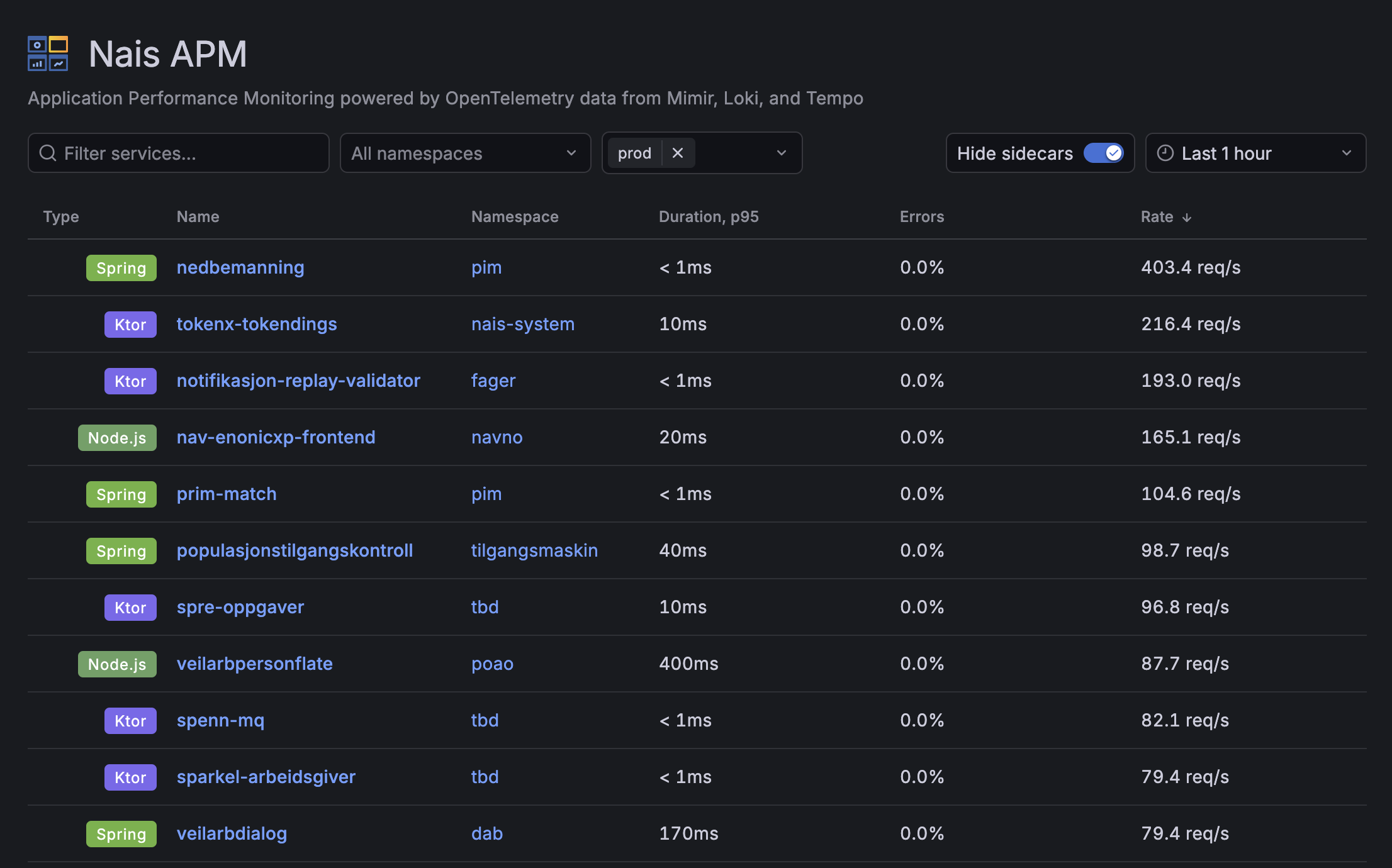
Find your app in the Nais APM service list. Frontend apps show with a Node.js badge.
Go to the Frontend tab for Core Web Vitals, or the Logs tab to search exceptions and browser logs. Toggle Include browser telemetry to see Faro data alongside server logs.
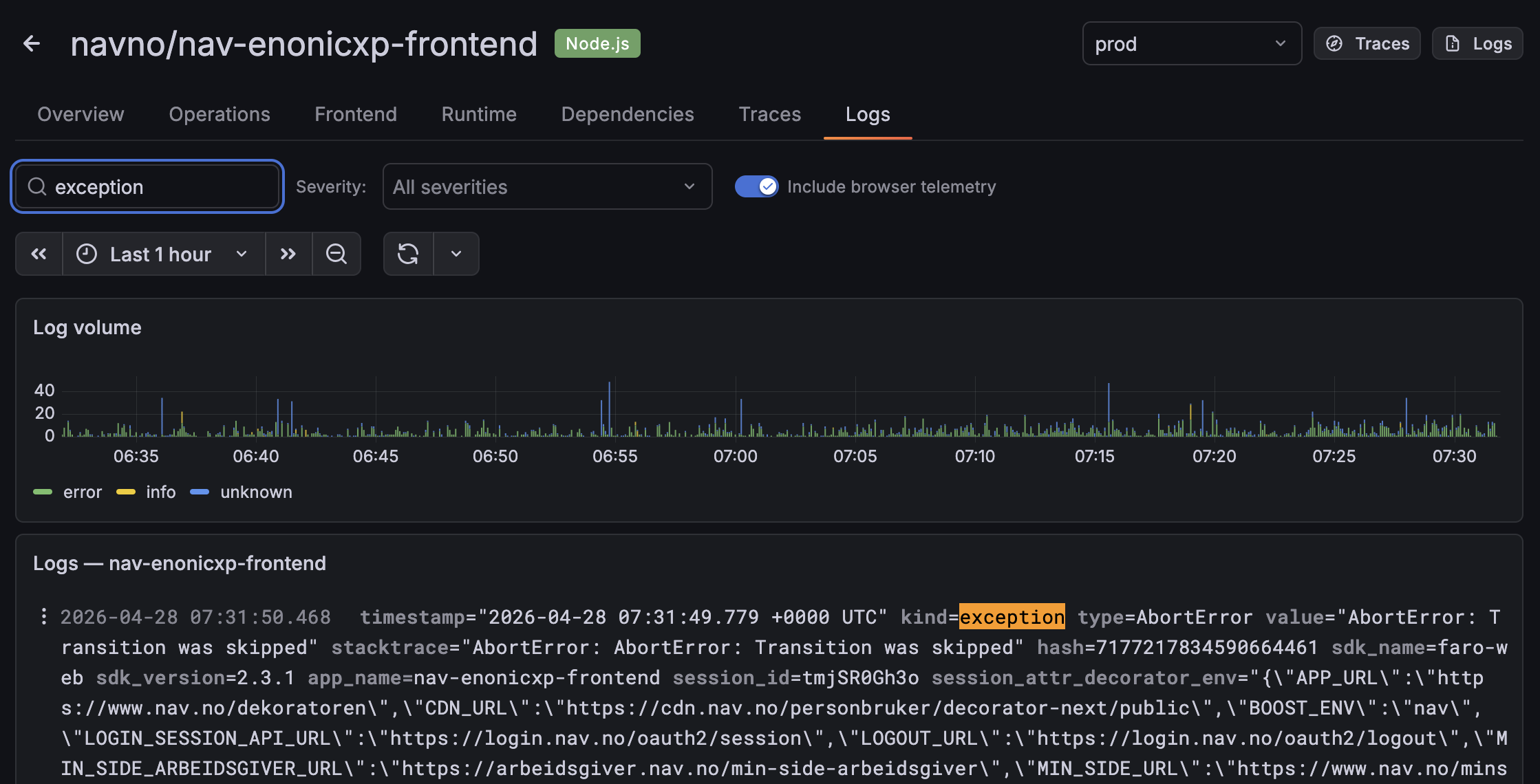
For deeper analysis, use the Explore view with one of the Loki data sources. Here are some useful queries:
# All frontend logs for your app
{app_name="my-app"} | logfmt

# Exceptions only
{app_name="my-app", kind="exception"} | logfmt

# Slow Largest Contentful Paint (> 2.5s)
{app_name="my-app", kind="measurement"} | logfmt | web_vitals_lcp > 2500
Traces are available from data sources ending with -tempo. Use TraceQL to query them.
Local development 
For local development, check out the tracing demo repository and run docker-compose up. This gives you a local Grafana, Loki, and Tempo stack to test against. See the README in that repository for details.
Guides 
| Guide | Description |
|---|---|
| Set up Faro | Install, configure, and deploy Faro in any frontend app |
| Next.js App Router | Faro integration for Next.js with App Router |
| Custom metrics | Send custom measurements and query them in Grafana |
| Trace propagation | Connect frontend traces to backend spans |
| Sourcemaps | How stack trace deobfuscation works |
| Auto-configuration | Generated config values and environment variables |
| Troubleshooting | CSP, CORS, and common issues |